 Design Duniya
News / WhatsApp
WhatsApp lets a text be read only once
After photos and voice notes, WhatsApp is testing view-once text messages on iPhone. You find the option by pressing and holding the send button.
By DD Desk
23 Nov 2026 · 2 min read
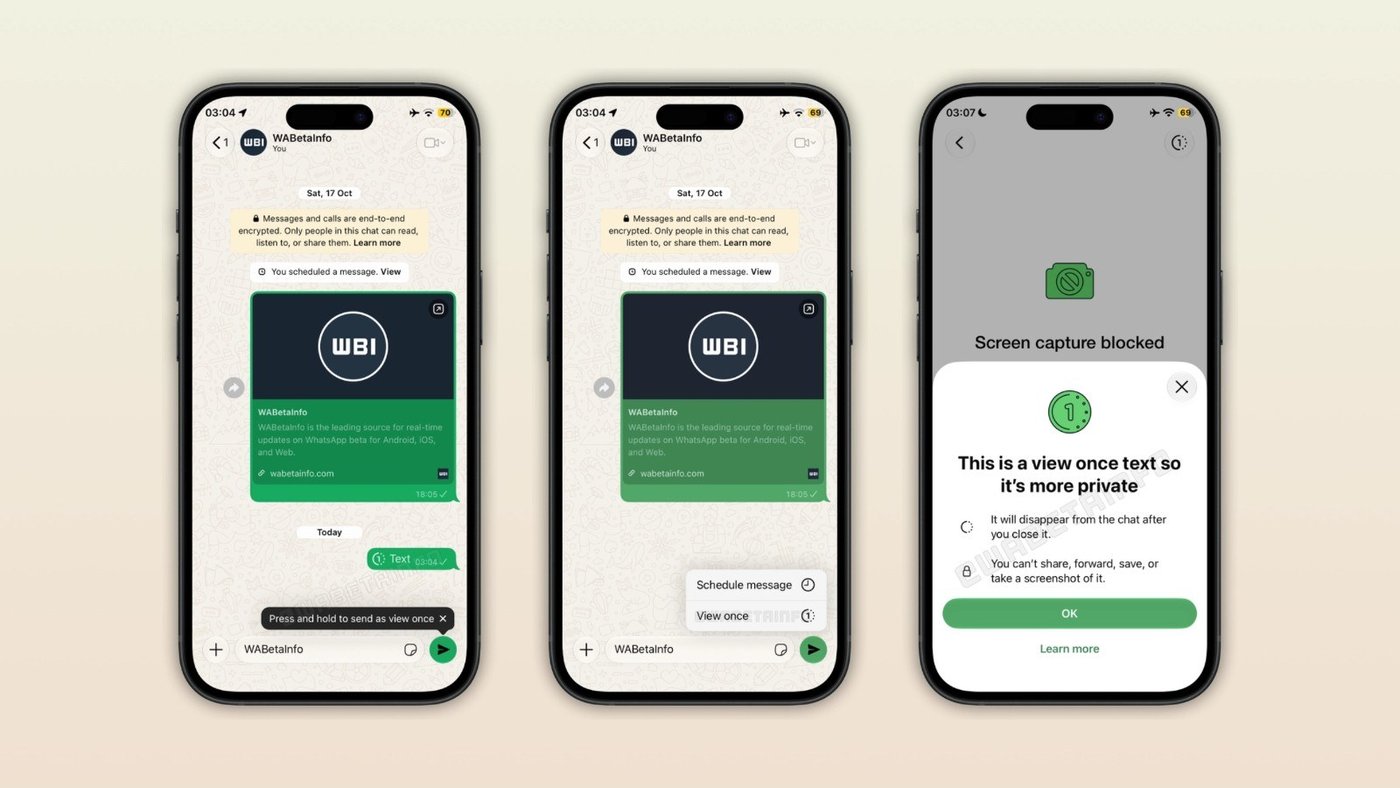
WhatsApp is rolling out view-once text messages to some iPhone beta testers, WABetaInfo reported on 23 November. Android beta users got it first. Type a message, press and hold the send button, and pick View once from the small menu that appears beside Schedule message. The text goes immediately.
Read, then gone
The person you send it to sees a closed bubble. Tapping it opens the message on its own screen, where screenshots and screen recording are blocked and the text can’t be copied, forwarded or saved. Once they close it, the content is gone. The chat keeps an “opened” marker that the sender can see.
This is different from disappearing messages, which vanish after a set time whether anyone read them or not. View once is tied to reading, not to the clock.
The drawer behind Send
Holding down Send is becoming WhatsApp’s place for “send, but differently”. It keeps the typing bar clean, but a long-press is invisible until someone shows you. The reading side gets more help: a short sheet explains that this is a view-once text, that it disappears once closed, and that it can’t be shared or screenshotted.
What changed
WhatsApp is testing view-once text messages on iPhone, after Android. Hold the send button and choose View once; the reader can open it a single time, with screenshots blocked.
Why it works
- It lives behind Send, so the typing bar stays clean.
- A short sheet tells the reader what view once means.
- An “opened” marker tells the sender it was read.
Source
Reported by WABetaInfo, which also supplied the image. It is a beta feature and is reaching more testers over the coming weeks.