 Design Duniya
Feature / WhatsApp
WhatsApp brings your backups home
WhatsApp now offers its own cloud for chat backups, with 2 GB free. On Android, a new screen asks you to pick a provider, and it answers the scary question before you ask it.
By DD Desk
23 Nov 2026 · 3 min read
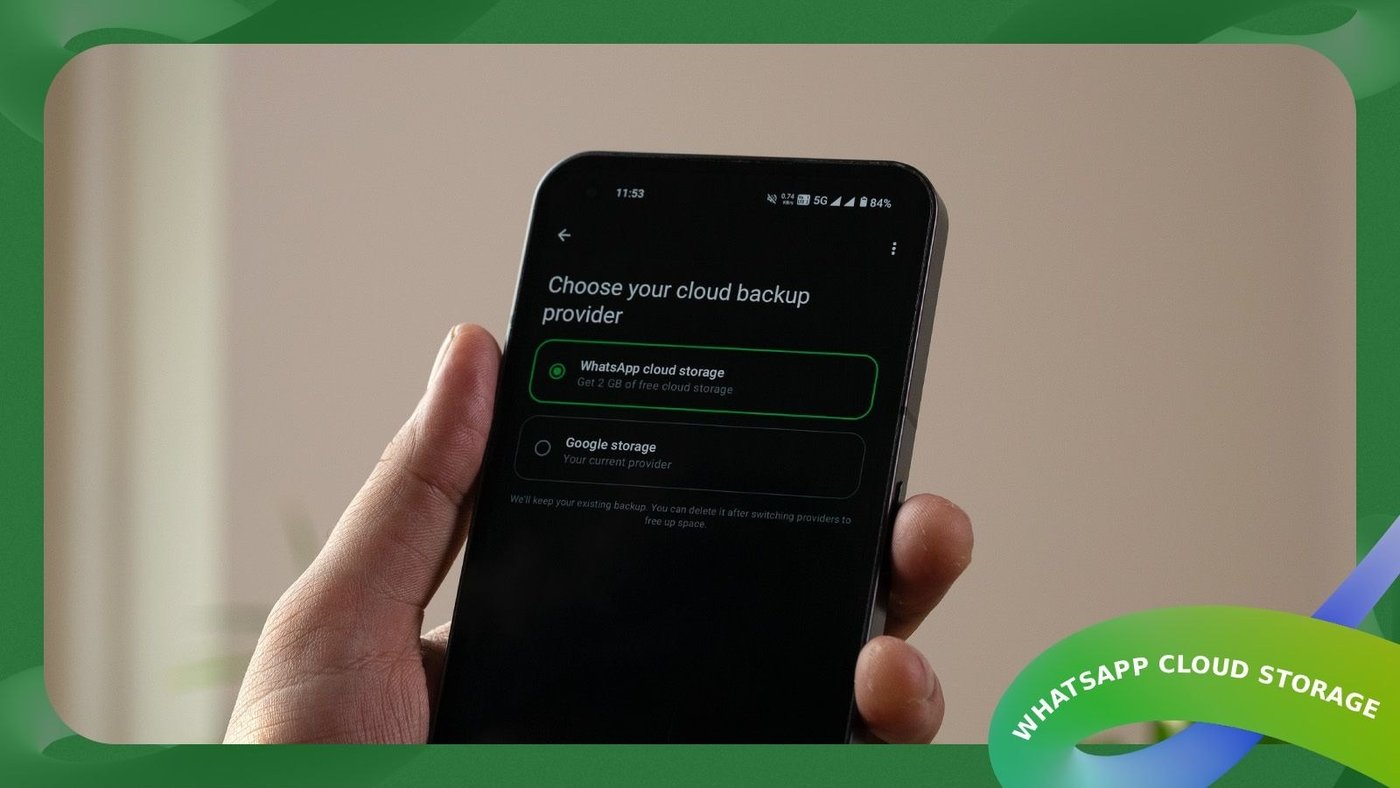
Until now, a WhatsApp backup on Android went to Google Drive and ate into the 15 GB that Gmail and Google Photos also share. In India, where WhatsApp carries everything from school circulars to bills and family videos, that space runs out quickly. WhatsApp now has its own place to keep backups, and according to Beebom every account gets 2 GB free.
One screen, two choices
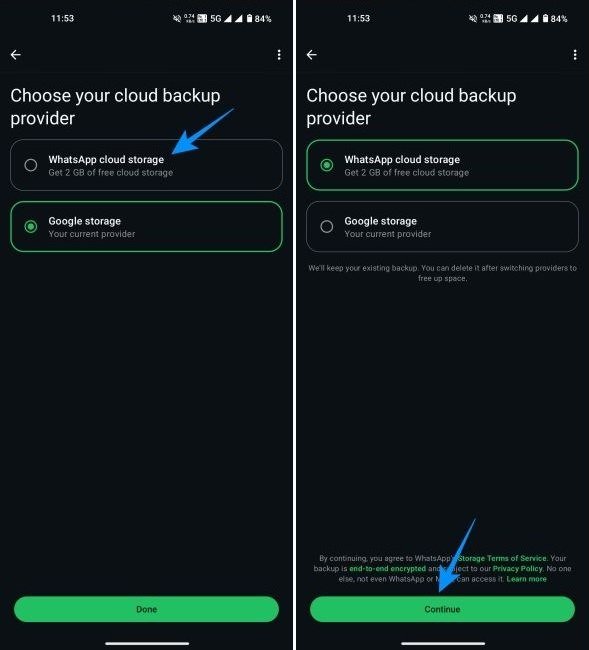
Open Settings, then Chats, then Chat backup. A screen titled “Choose your cloud backup provider” shows two large cards: WhatsApp cloud storage, and Google storage, marked as your current provider. Pick one and tap Done.
Below the cards, one line does the reassuring: your existing backup stays where it is, and you can delete it yourself later. Switching storage feels risky, and that sentence answers “what happens to my old chats?” before anyone has to ask.
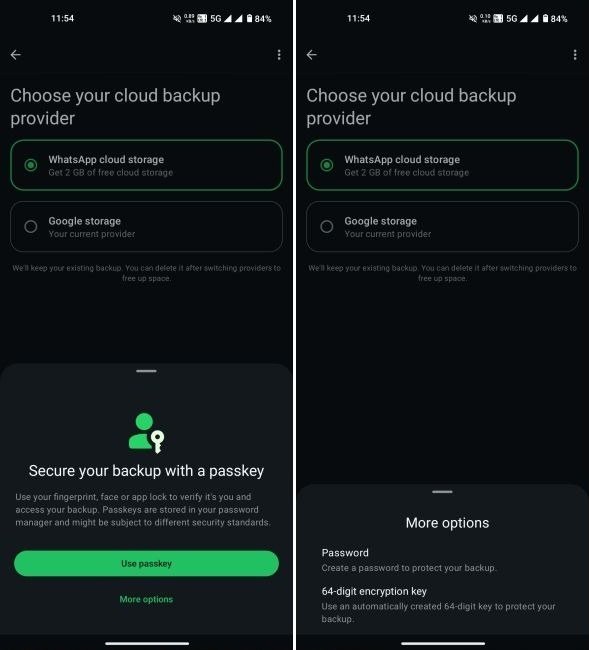
The next step is how to lock the backup. The default is a passkey, which uses the fingerprint, face or screen lock you already have. “More options” offers a password or a 64-digit key instead. Either way, the backup is end-to-end encrypted, so WhatsApp itself can’t read it.
Where the free space ends
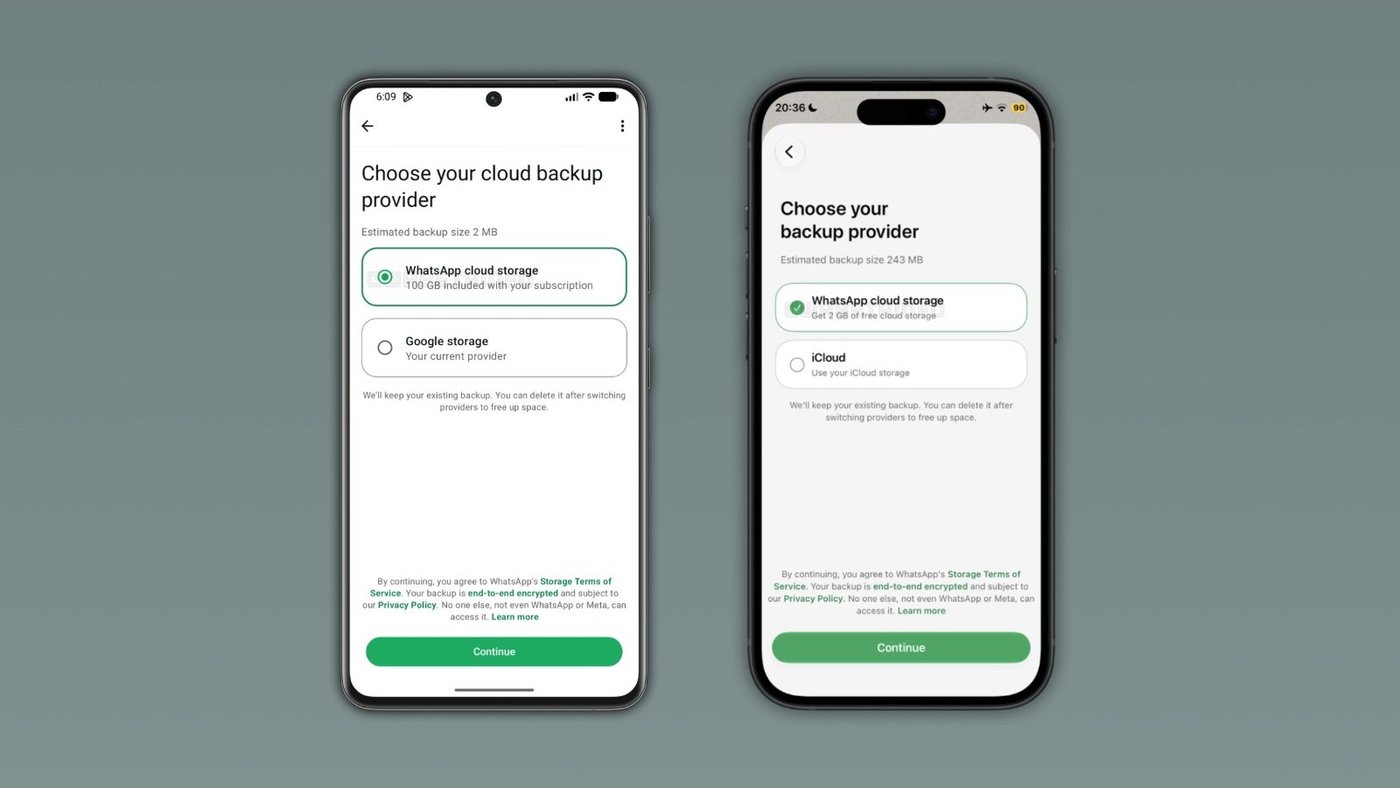
Two gigabytes won’t hold years of forwarded videos. WhatsApp Plus raises the limit to 100 GB for ₹79 a month, with a free first month, and Meta One plans go up to 2 TB (₹549 a month) and 4 TB (₹1,950 a month), Beebom reports.
WABetaInfo says the same choice is reaching iPhone beta users, where the other option is iCloud. Two catches: a backup kept with WhatsApp can’t be restored on the other platform, and after a paid plan ends the backup is kept for four months.
What changed
WhatsApp now lets you back up chats to its own cloud instead of Google Drive, with 2 GB free and paid plans from ₹79 a month. It is live on Android and in beta on iPhone.
Why it works
- Your current provider is labelled, so you know where you stand.
- It says up front that your old backup is not deleted.
- Locking the backup uses the fingerprint or face you already set up.
Source
How-to steps, prices and screenshots from Beebom Gadgets, which also supplied the lead image. iPhone and restore details, and the side-by-side image, from WABetaInfo.