 Design Duniya
News / WhatsApp
WhatsApp lets both sides of a chat share one look
Pick a chat theme or wallpaper and WhatsApp now asks who it is for: just you, or everyone in the chat. A line in the chat says who changed it. It is in beta on Android and iPhone.
By DD Desk
24 Nov 2026 · 2 min read
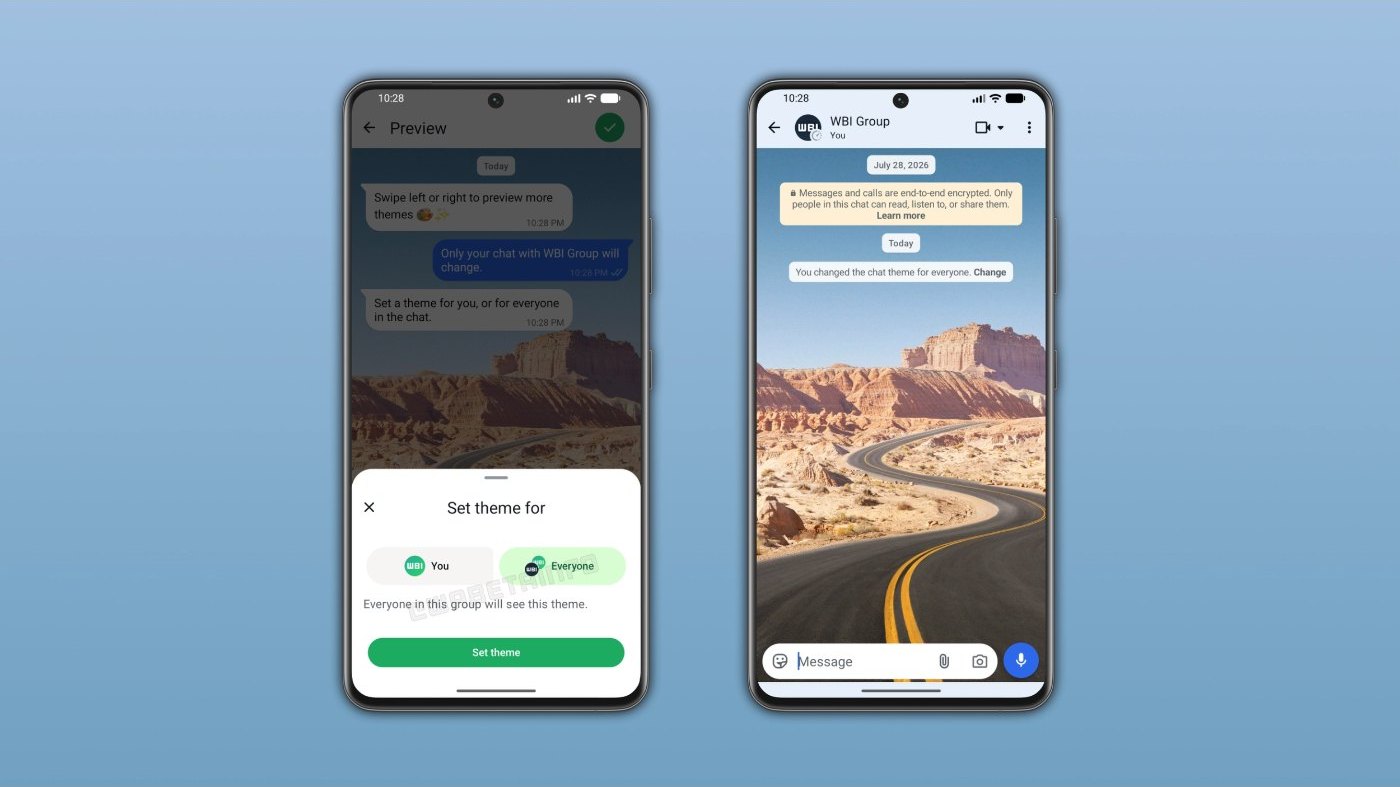
Chat themes on WhatsApp have always been private: the colours and wallpaper you picked were yours, and the person at the other end saw their own. WhatsApp is now testing a way to share them. WABetaInfo spotted it in Android beta 2.26.46.8 on 20 November and in the iPhone beta a day later.
One more question
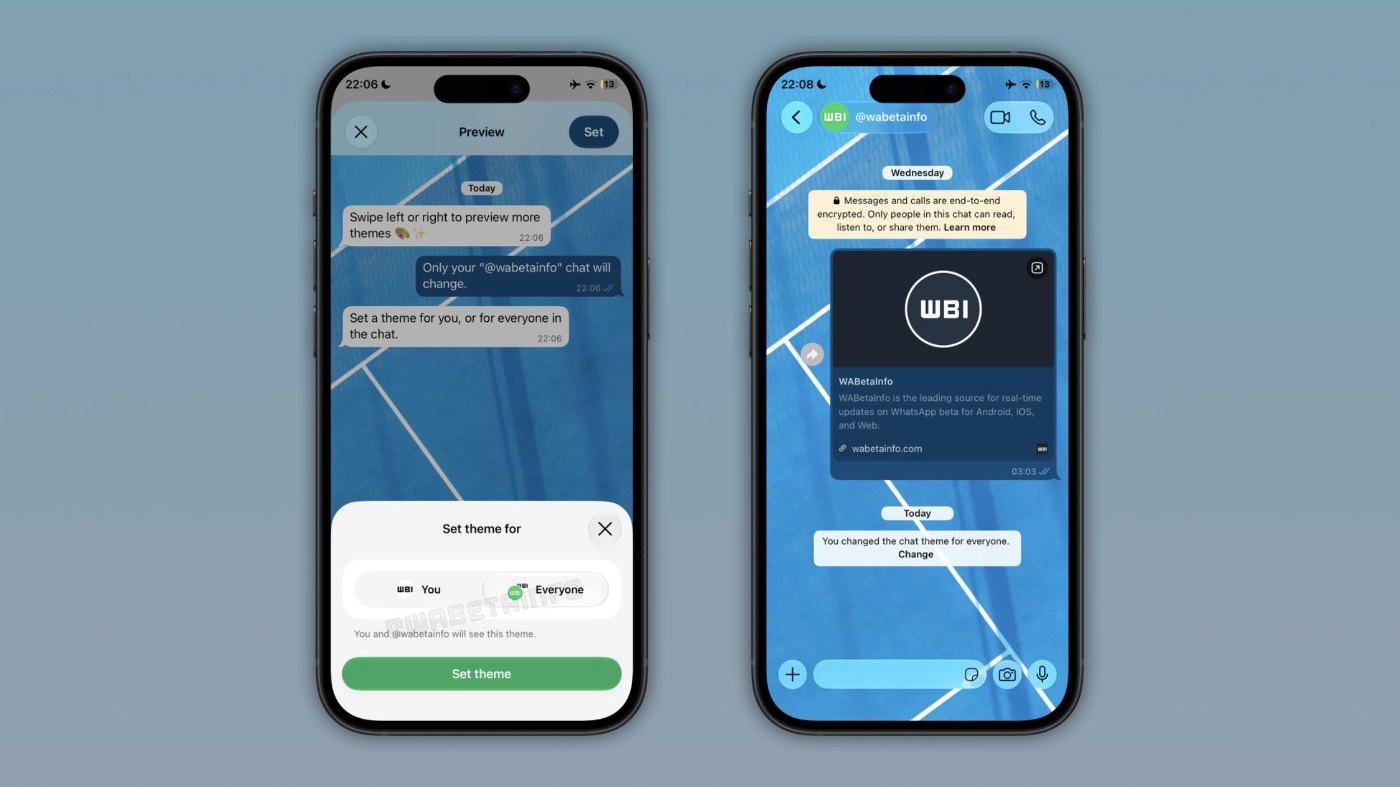
The flow is the old one with a step added. Open a chat, go to Chat theme, pick a theme or wallpaper, and a sheet now asks who to set it for: You, or Everyone. Choose Everyone and the other person, or the whole group, sees the same wallpaper and bubble colour without doing anything. Wallpapers from your own photos can be shared too, and WABetaInfo says the choice is end-to-end encrypted.
Who changed it?
Making a theme shared turns decoration into a group decision, and in a family group any member can change it. WhatsApp handles that the way it handles a new group name: a line in the chat says who changed the theme, with a Change link right there. A bad pick is easy to spot and one tap to undo, and anyone who wants the old behaviour can keep choosing You.
What changed
WhatsApp is testing shared chat themes. After picking a theme or wallpaper you choose You or Everyone; with Everyone, the whole chat sees it, and a system line records who changed it.
Why it works
- The new choice sits inside the old flow, as one sheet.
- A line in the chat names who changed the theme.
- Change sits next to that line, so undoing is one tap.