 Design Duniya
News / Figma
Figma lets three image models take the same brief
Write one prompt, pick up to three models, and Figma shows you what each one makes. It turns choosing an AI model into a design review.
By DD Desk
22 Nov 2026 · 2 min read
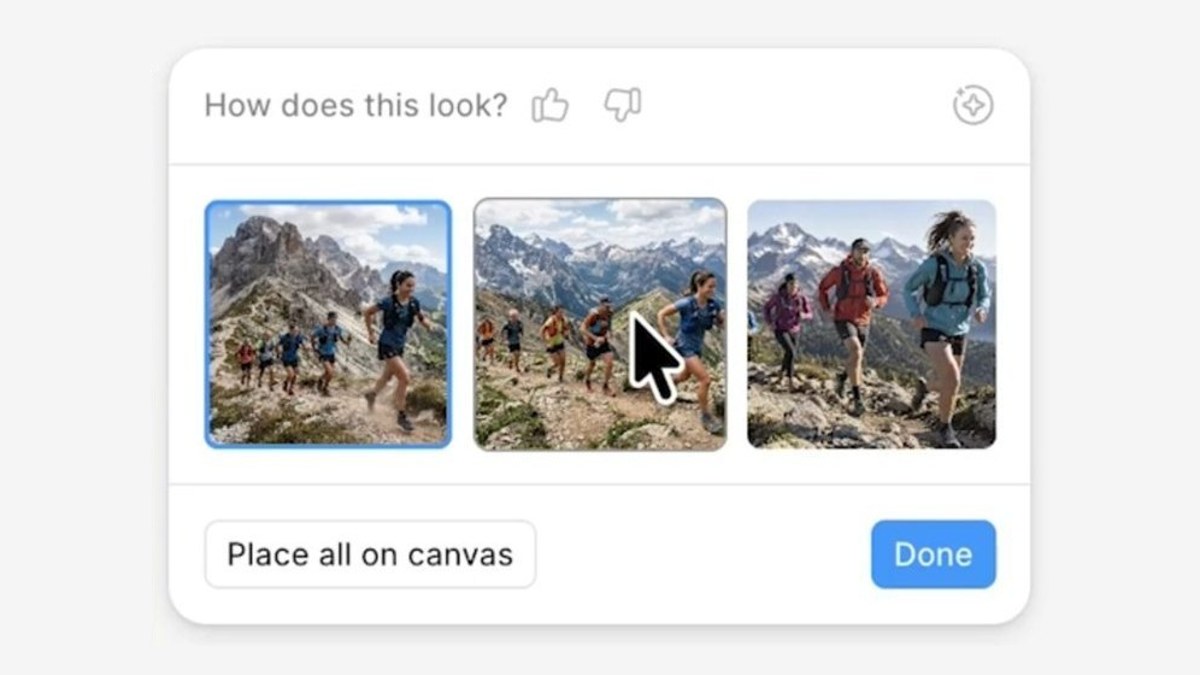
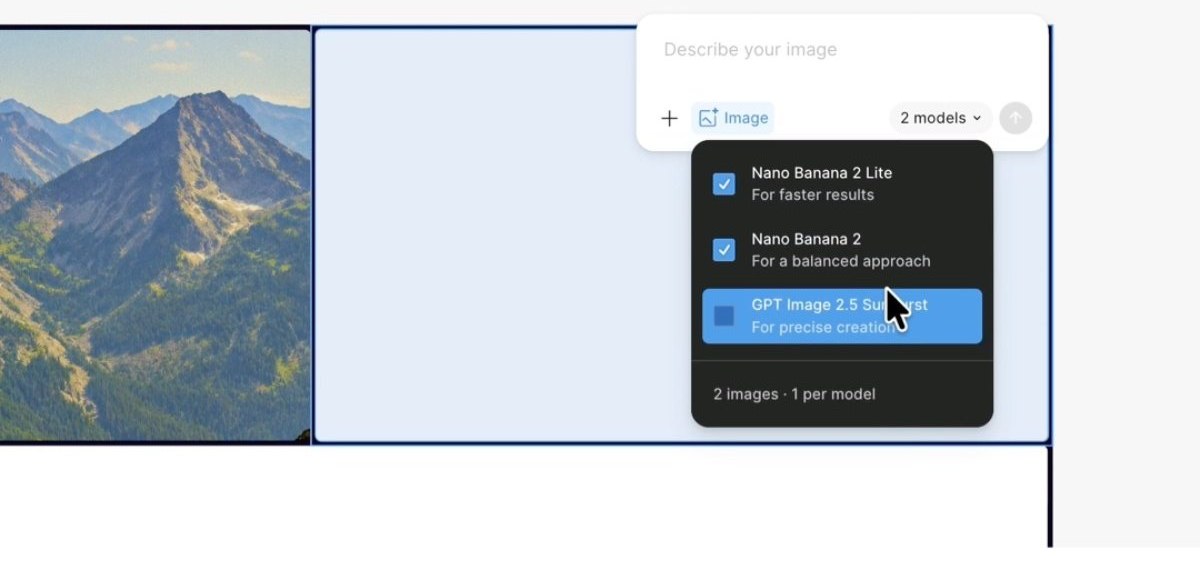
Figma updated its AI image tools on 18 November. You can now pick up to three image models for a single prompt, and each one makes an image. If you stick to one model, you can ask it for two, four or six drafts instead.
Comparing in place
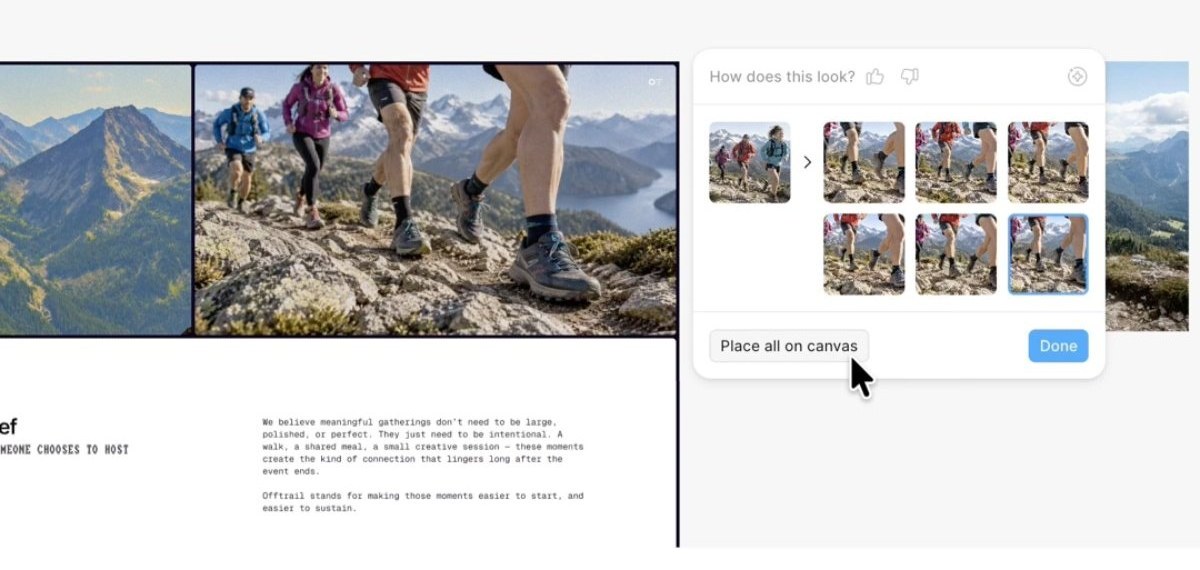
The comparison happens where the image will live. Hover over a result and Figma previews it on the layer you selected. A “Place all on canvas” button lays every candidate out so you can judge them together, the way designers already pin up options.
There are two actions: Make image, for something new, and Edit image, which changes an existing image, including one you placed yourself. Reference images can be attached. Models listed in Figma’s credit guide include GPT Image 2.5 Sunburst, NanoBanana 2 and NanoBanana 2 Lite.
Who gets it
It works on every plan, but you need edit access to the file, and Starter users get it only in Figma Design. Each image uses AI credits, the same pool as Figma’s other AI features, and the cost depends on the model and the number of images. Comparing three models costs more than asking one.
The design idea is honest about how these tools behave: no single model is best at everything, so the interface stops asking you to guess.
What changed
Figma’s AI image tool can run one prompt through up to three models, or ask one model for up to six drafts, and place every result on the canvas for comparison.
Why it works
- You compare results instead of guessing which model to use.
- Hover previews show each image on the actual layer.
- “Place all on canvas” turns options into a pin-up wall.
Source
Reported by Design Compass, which also supplied the Figma screen images used here.